In a world where tech headlines are dominated by 4K and 8K displays, you might wonder if good old 1920×1080 resolution is still relevant. The answer, surprisingly, is a resounding yes.
More than a decade after its mainstream adoption, 1920×1080—universally known as 1080p or Full HD—remains the most popular and versatile display resolution in the world. Whether you’re a gamer chasing high frame rates, a content creator on a budget, or a general user, understanding 1080p is more important than ever.
This complete guide will dive deep into why 1920×1080 has endured, how it stacks up against newer resolutions, and its practical applications for you in 2025.
What Exactly is 1920×1080 Resolution?
Let’s break down the numbers:
- 1920 is the number of horizontal pixels (width).
- 1080 is the number of vertical pixels (height).
This creates a grid of over 2 million individual pixels (precisely 2,073,600). Each pixel can display a unique color, and together, they form the complete image on your screen.
The term “1080p” comes from the vertical pixel count, with the “p” standing for progressive scan. This means the image is drawn line-by-line in a single pass, resulting in a smooth, flicker-free picture—a significant improvement over the older “i” (interlaced) standard.
With an aspect ratio of 16:9, it perfectly fits the widescreen format used for most modern movies, TV shows, and games.
A Brief History Lesson
1080p didn’t become a standard by accident. Its journey began in the late 1990s and early 2000s as the natural successor to 720p (1280×720) and the outdated standard definition (SD).
- The Early 2000s: The first 1080p HDTVs and Blu-ray discs hit the market, offering a quantum leap in picture quality that was previously unimaginable for home viewers.
- The 2010s: Mass adoption took off. Manufacturing costs plummeted, making 1080p the default resolution for computer monitors, laptops, and televisions. YouTube, Netflix, and other streaming platforms standardized on 1080p, cementing its place in our daily lives.
- Today: Despite the push for higher resolutions, 1080p remains the dominant force due to its perfect balance of performance, cost, and visual fidelity.
1920×1080 vs. The Competition
How does the veteran 1080p hold up against the new challengers? Let’s compare.
1080p vs. 720p (HD)
- Pixel Count: 1080p has over twice as many pixels as 720p (1280×720).
- Visual Clarity: The difference is immediately noticeable. Text is sharper, images are more detailed, and overall clarity is significantly better. 720p is now considered a budget or entry-level resolution.
Verdict: 1080p is a massive and worthwhile upgrade over 720p.
1080p vs. 1440p (QHD/2K)
- Pixel Count: 1440p (2560×1440) has about 1.77 times more pixels than 1080p.
- Visual Clarity: The “Retina” effect begins here. On monitors 27 inches and larger, 1440p offers a much denser, crisper image with more screen real estate for multitasking.
- Performance Cost: Driving games at 1440p requires a more powerful (and expensive) graphics card than 1080p.
Verdict: 1440p is a premium upgrade for enthusiasts with the hardware to support it, but 1080p remains the sweet spot for performance and affordability.
1080p vs. 4K (UHD)
- Pixel Count: 4K (3840×2160) has a staggering four times more pixels than 1080p.
- Visual Clarity: On large screens (40+ inches), the detail in a 4K image is breathtaking. However, on a typical 24-inch computer monitor, the difference is less dramatic unless you sit very close.
- Performance Cost: This is the biggest factor. Gaming at 4K requires a top-tier GPU, making it a very expensive endeavor. For everyday tasks, the benefit is often minimal.
Verdict: 4K is the king of home cinema and a premium choice for content creators, but 1080p is the undisputed king of accessibility and high-value performance.
How does the Gaming industry look at 1080p?
For gamers, 1080p is far from dead; it’s the heart of the PC gaming market.
Why Gamers Still Love 1080p:
- High Frame Rates are Easier to Achieve: With fewer pixels to render, your graphics card can produce much higher FPS (Frames Per Second) at 1080p compared to 1440p or 4K. This translates to smoother, more responsive gameplay—a critical advantage in competitive shooters and fast-paced games.
- Affordable Hardware: You don’t need a $800 graphics card to game at 1080p. Excellent mid-range and budget GPUs can deliver superb 60+ FPS experiences at high settings, making high-quality gaming accessible to everyone.
- High Refresh Rate Monitors: The 1080p monitor market is where you’ll find the most affordable high-refresh-rate displays (144Hz, 240Hz, and even 360Hz). This combination of high FPS and a high-refresh monitor provides the ultimate competitive edge.
The Bottom Line for Gamers: If your priority is buttery-smooth gameplay and winning, 1080p is often a smarter choice than 1440p or 4K.
Social Content Creation at 1080p
You might think content creators have all moved to 4K, but 1080p is still incredibly relevant.
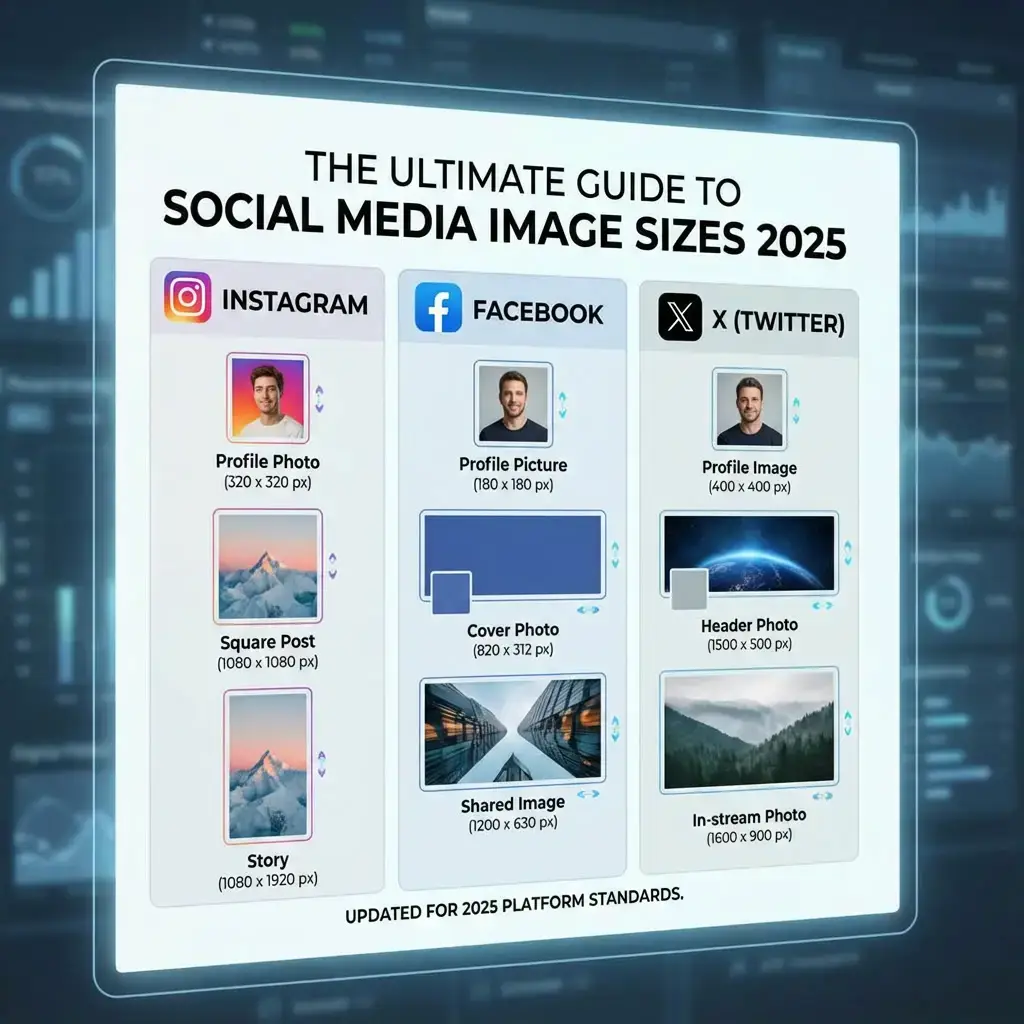
- Video Editing: Many projects, especially for social media (YouTube, TikTok, Instagram), are delivered in 1080p. Editing a 1080p timeline is less demanding on your computer, allowing for faster rendering times and smoother playback, even on less powerful machines.
- Graphic Design & Streaming: For most web graphics, thumbnails, and live streaming, 1080p is the standard output. A 1080p monitor provides ample workspace and perfect pixel clarity for these tasks. If you need to prepare assets for this resolution, you can use our tool to resize to 1920×1080 perfectly.
- The 4K Workflow Trick: Many professional creators shoot in 4K for the extra data but edit and deliver in 1080p. This allows for crisp detail, flexible cropping, and digital zooming in post-production without any loss in final output quality.
Display Technology and Pixel Density(The Sharpness Factor)
A common misconception is that 1080p looks “blurry.” The truth is, sharpness is determined by pixel density (PPI – Pixels Per Inch), not just resolution.
- 24-inch 1080p monitor: ~92 PPI (Perfectly sharp for most users at a normal viewing distance).
- 27-inch 1080p monitor: ~82 PPI (Some users may start to see individual pixels if they sit close).
- 32-inch 1080p TV: ~69 PPI (Designed to be viewed from several feet away, where it still looks excellent).
For a typical desktop setup with a 24-inch monitor, 1080p offers a fantastic, sharp image without requiring operating system scaling.
The Future of 1080p in a 4K and 8K World
Will 1080p become the next 720p? Not anytime soon. Here’s why it has staying power:
- The Law of Diminishing Returns: The jump from 1080p to 4K is noticeable, but it’s not as dramatic as the jump from 480p SD to 1080p HD. For many users, the cost-to-benefit ratio isn’t there yet.
- Bandwidth and Streaming: A 1080p stream uses significantly less data than a 4K stream. With data caps and internet inequality still a reality, 1080p will remain the default for a huge portion of the world’s internet users.
- Gaming’s Hardware Reality: The Steam Hardware Survey consistently shows that 1080p is the most common gaming resolution by a huge margin. Game developers will prioritize this audience for the foreseeable future.
- The Upscaling Revolution: Technologies like NVIDIA’s DLSS and AMD’s FSR use AI to intelligently upscale a lower-resolution image (like 1080p) to a higher-resolution display (like 4K). This means you can game at 1080p performance but get a near-4K visual experience on your 4K monitor or TV. Our image upscaler uses similar principles for photos.
Practical Tips for 1080p Users in 2024
- Check Your Settings: Ensure your Windows/macOS display settings and your game resolutions are actually set to 1920×1080 for the native, sharpest image.
- Resize Images Correctly: When creating wallpapers or social media content, use free HD resolution tools to get the perfect fit without distortion.
- Understand Aspect Ratio: When working with different media, use an aspect ratio calculator to ensure your content fits correctly within a 16:9 frame without stretching or black bars.
The Final Verdict: Is 1920×1080 Still Good in 2024?
Absolutely.
1920×1080 is not a legacy resolution; it’s a mature, highly optimized, and incredibly practical standard. It represents the perfect intersection of quality, performance, and affordability.
- For Gamers: It’s the gateway to high frame rates and competitive gameplay without breaking the bank.
- For Content Creators: It’s a efficient and effective resolution for production and delivery.
- For Everyone Else: It provides a crystal-clear, high-definition experience for work, web browsing, and entertainment that is more than good enough for the vast majority of users.
While higher resolutions will continue to evolve, 1080p’s reign as the people’s champion is far from over.
Creating content for the most popular resolution? Ensure your images look perfectly sharp on any 1080p screen. Use our free tool to resize and optimize your images for Full HD instantly.