That “free” online converter you just used? It now has a copy of your passport, your signature, or your private family photos. Here’s how to protect yourself.
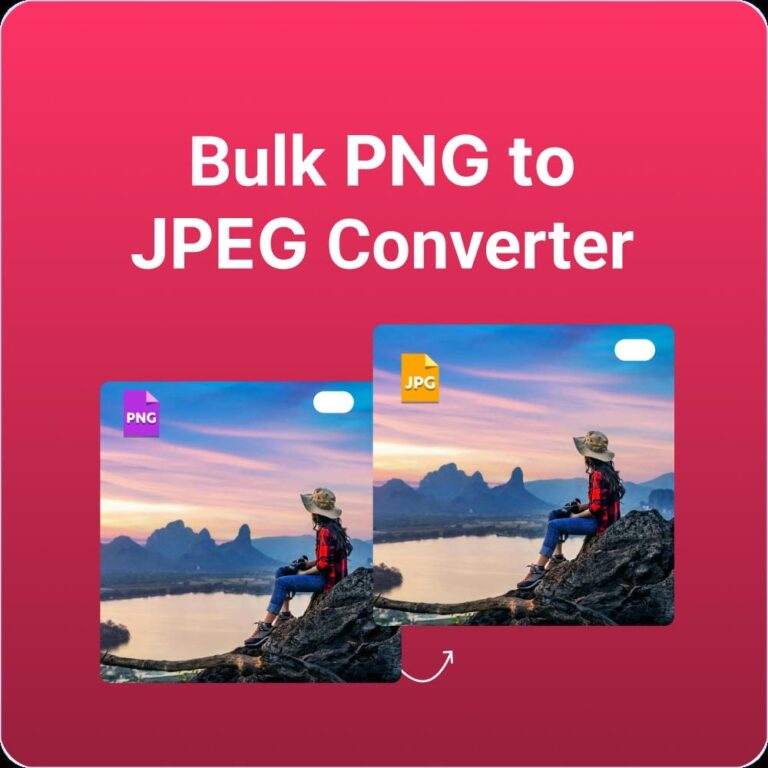
You needed to convert a PNG to JPG quickly. Maybe it was a screenshot of a bank statement to send to your accountant. Perhaps it was a scanned document with your signature. Or maybe it was just a private photo you didn’t want to lose quality on.
You Googled “free PNG to JPG converter,” clicked the first result, uploaded your image, and downloaded the converted file. Took ten seconds. Problem solved.
But what happened to your image after you closed that tab?
This is the question almost nobody asks—and the answer might make you rethink every image you’ve ever uploaded to a “free” online tool.
The Hidden Economy of “Free” Converters
Let’s start with a simple truth: There’s no such thing as a free lunch. When you use a free online service, you’re not the customer—you’re the product.
Running servers costs money. Processing images requires computing power. Storing files takes storage space. So how do these “free” converters pay their bills?
Here’s how:
1. They Keep Your Images
Many converters explicitly state in their terms of service that they retain the right to store your uploaded images. For how long? Often indefinitely. That screenshot of your internal company document? It’s now sitting on a server somewhere, potentially accessible to employees, contractors, or hackers.
2. They Sell Your Data
Your images contain valuable data. Not just the visual content, but metadata: when the photo was taken, what device captured it, sometimes even GPS coordinates. This data is gold for marketers, data brokers, and worse.
3. They Train AI Models
Those terms of service you clicked “agree” to without reading? Many include clauses allowing the company to use your uploaded content to train their machine learning models. Your private photos could be helping improve someone else’s commercial AI product.
4. They Upsell You
Remember that “free” converter that stopped working after five images? That’s not a bug—it’s a feature. They hook you with free conversions, then hit a paywall when you actually need to get work done.
What Actually Happens When You Upload?
Let’s walk through what happens behind the scenes when you use a typical online converter:
Step 1: You select your image and click upload.
Step 2: Your image travels across the internet to the company’s server. This transmission could be intercepted, though most sites use HTTPS encryption (the padlock in your browser).
Step 3: The server receives your image and stores it temporarily—or permanently.
Step 4: The server processes the conversion. During this time, the image exists on their hardware, potentially accessible to system administrators, support staff, or automated systems.
Step 5: The converted image is sent back to you.
Step 6: You download and close the tab.
Step 7: What happens to your image now? Do they delete it? Keep it for 30 days? Store it forever? Sell it to data brokers? Use it to train AI? You have no idea and no control.
This isn’t paranoia—it’s the business model of countless “free” services on the internet.
Real Images, Real Risks
Still think it doesn’t matter? Consider what people actually upload to image converters:
The Identity Theft Nightmare
- Scanned passports and driver’s licenses
- Social security cards
- Tax documents with your full name, address, and financial information
- Signed contracts with your signature
If these images end up in the wrong hands, you’re looking at potential identity theft, financial fraud, and years of cleanup.
The Corporate Breach
- Confidential business documents
- Internal screenshots with proprietary information
- Product designs before public release
- Customer data visible in the background
A single employee using a “free” converter could expose an entire company to a data breach.
The Personal Invasion
- Private family photos
- Medical records or prescriptions
- Intimate images
- Screenshots of private conversations
Once these images leave your device, you lose all control over where they go.
The Metadata Trail
Even if the image content seems harmless, the metadata might not be:
- GPS coordinates of where the photo was taken (your home address)
- Date and time stamps (revealing when you’re away)
- Device information (making you identifiable across different uploads)
- Hidden data in document scans (revision history, hidden layers)
The Scary Part: You’ll Never Know
Here’s the worst part about traditional online converters: if your data is compromised, you probably won’t find out.
Data breaches happen constantly. Millions of records are stolen, traded, and sold. But unless your identity is actively stolen or your private photos appear somewhere public, you’ll never know your images were part of a breach.
The company that stored your passport scan might get hacked next month. Their security might be terrible. Their employees might snoop through uploaded files. You’ll never receive a notification. You’ll never know your data is out there.
The only way to guarantee your images stay private is to ensure they never leave your device in the first place.
The Solution: Client-Side Processing or Edge processing
This is where client-side processing changes everything.
Instead of uploading your images to a server, client-side tools do all the work directly in your browser. Your images never travel across the internet. They never touch someone else’s server. They never get stored, analyzed, sold, or stolen.
Here’s how it works:
Step 1: You visit the website. Your browser downloads the conversion code (just like any website).
Step 2: You select your images. Your browser reads them directly from your computer.
Step 3: The conversion happens in your browser using your computer’s processing power.
Step 4: You save the converted images back to your computer.
Step 5: You close the tab. The code is gone. Your images never left your device.
That’s it. No uploads. No servers. No data brokers. No risk.
That’s where Resizeimage IO: Privacy by Design
Resizeimage.io was built from the ground up with one principle: your images are yours and yours alone.
We don’t upload your files to any server. We don’t store them temporarily or permanently. We don’t analyze them, sell them, or train AI on them. We can’t—because they never reach us.
Here’s what makes it different:
✅ 100% Client-Side Processing
Every conversion happens entirely in your browser. Your images are read locally, processed locally, and saved locally. The code runs on your machine, not ours.
✅ No Servers, No Storage
We don’t have servers that receive your images. We don’t have databases that store them. We don’t have data centers that might get hacked. There’s literally nothing to breach.
✅ No Accounts, No Tracking
We don’t ask for your email. We don’t create profiles. We don’t track what you convert. You’re anonymous to us—because we designed it that way.
✅ No Limits, No Upsells
Since you’re using your own computer’s processing power, we don’t have server costs to recoup. That means genuinely unlimited conversions. No “premium tiers.” No “upgrade to continue.” Just free, private conversion forever.
✅ Works with Sensitive Documents
Passport scans? Tax documents? Confidential business screenshots? Convert them with confidence, knowing they never leave your computer.
How to Verify Client-Side Processing?
Don’t just take our word for it. Here’s how you can verify that resizeimage.io actually processes locally:
The Developer Tools Check
- Open your browser’s developer tools (F12 usually)
- Go to the Network tab
- Convert an image on our png to jpg/jpeg converter
- Watch the network traffic—you’ll see no uploads to external servers
Read the Code
We are transparent about how it works. The code is open for anyone with technical skills to inspect and verify.
What You Can Convert Safely?
With client-side processing, you can convert anything without worry:
| Type of Image | Why It Matters | Convert Safely? |
|---|---|---|
| Passport/ID | Identity theft risk | 100% safe |
| Signed contracts | Signature forgery risk | 100% safe |
| Tax documents | Financial fraud risk | 100% safe |
| Business documents | Corporate espionage risk | 100% safe |
| Private photos | Personal privacy | 100% safe |
| Medical records | HIPAA/privacy laws | 100% safe |
| Screenshots with sensitive data | Data exposure | 100% safe |
| Client work | Confidentiality obligations | 100% safe |
The Privacy-First Workflow
Here’s a simple workflow for handling sensitive images:
For Maximum Security
- Keep originals offline when possible
- Use resizeimage.io for conversions—no uploads required
- Delete temporary files after use
- Store converted files securely on encrypted drives if needed
For Everyday Privacy
- Bookmark resizeimage.io so you’re not tempted to use random converters
- Convert without worry knowing your images never leave your device
- Share with confidence that the original files aren’t floating around on unknown servers
For Business Use
- Standardize on privacy-first tools like resizeimage.io for all image conversions
- Educate employees about the risks of uploading to unknown services
- Create policy requiring client-side processing for any sensitive documents
- Audit regularly to ensure compliance
What About Other “Secure” Converters?
You might find other tools claiming to be secure. Here’s what to look for:
Red Flags
- ❌ Requires account creation
- ❌ Mentions “cloud processing” or “server-side”
- ❌ Has file size limits (indicates server costs they need to recoup)
- ❌ Terms of service mention data retention or usage rights
- ❌ Asks for email to “send results”
Green Flags
- ✅ Explicitly states “client-side” or “browser-based”
- ✅ No login required
- ✅ Transparent about how processing works
- ✅ Privacy policy clearly states no data collection
- ✅ Unlimited conversions (since you provide the computing power)
Common Questions About Privacy and Conversion?
Q: Is HTTPS enough to protect my images?
A: No. HTTPS encrypts the transmission, but the server still receives and stores your images. Once they’re on someone else’s server, encryption doesn’t protect you from that company’s practices or security breaches.
Q: What if a converter says they delete images after conversion?
A: You have to trust them. There’s no way to verify. Many claim this but keep copies for analytics, AI training, or just “just in case.” With client-side processing, there’s nothing to delete.
Q: I’m just converting memes—does privacy matter?
A: Even seemingly innocent images contain metadata and could be used to profile you. But if you truly don’t care, at least you’re not risking anything sensitive. Still, why give away your data for free?
Q: Can I convert sensitive images on a work computer?
A: With traditional converters, absolutely not. You could expose company data. With ResizeImage IO, it’s safe because nothing leaves your device—but always check your company’s IT policy first.
Q: What about mobile devices?
A: Resizeimage.io works perfectly on phones and tablets. Same client-side processing, same privacy protection. Your photos never leave your device.
The Bottom Line
Every time you upload an image to a traditional online converter, you’re taking a risk. Maybe it’s a small risk for a meme. Maybe it’s a massive risk for your passport scan. But it’s always a risk you don’t need to take.
Client-side processing isn’t just a technical detail—it’s a fundamental privacy protection. By keeping your images on your device, you eliminate the risk of data breaches, corporate misuse, and unauthorized access.
No uploads. No servers. No tracking. No limits. Just fast, free, private image conversion that works entirely in your browser.
Your Privacy Is in Your Hands
The next time you need to convert a PNG to JPG, ask yourself:
- Where is this image going?
- Who might see it?
- What could they do with it?
- Am I comfortable with that?
If the answer to any of these questions gives you pause, you need a better solution.
Ready to Convert Without Compromising?
Stop uploading your private photos to unknown servers. Stop wondering where your data ends up. Stop accepting “free” tools that actually cost you your privacy.
Convert PNG to JPG today and experience image conversion the way it should be: 100% private, 100% free, and 100% in your control.
Your images. Your device. Your privacy. No exceptions.