
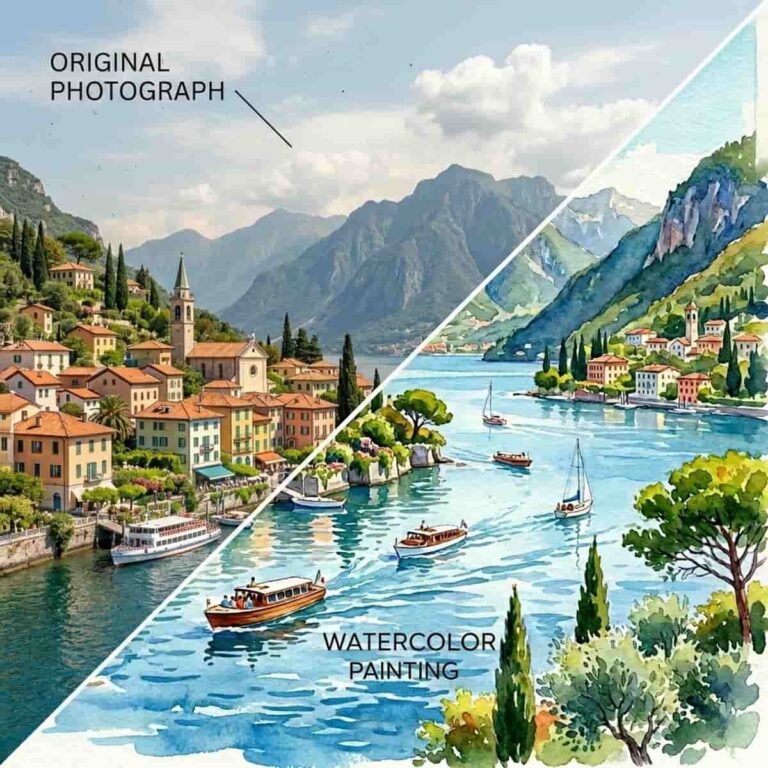
A watercolor effect can turn an ordinary photo into something soft, artistic, and personal. It is especially useful for wedding invitations, save-the-date cards, nursery wall art, family keepsakes, pet portraits, and printable gifts.
The best part is that you do not need real paint, brushes, or design experience. With an online Watercolor tool, you can upload a photo, apply a digital watercolor filter, and download a painterly version in minutes.
What Is a Watercolor Photo Effect?
A watercolor photo effect changes your image so it looks more like a painted illustration than a camera photo. It usually softens edges, blends colors, reduces harsh detail, and adds a gentle handmade feel.
Unlike a pencil sketch or line art effect, watercolor keeps color as an important part of the design. The result often feels light, airy, and elegant, which makes it a strong choice for decorative and sentimental projects.
How to Turn a Photo into a Watercolor Painting
Follow these simple steps:
- Choose a bright, clear photo.
- Open the Photo Filter Utility
- Upload your image.
- Apply the watercolor effect.
- Download the finished image and use it in your design.
You can use the final image by itself as wall art or place it into an invitation, card, poster, or digital announcement.
What would be a better Photo for a Watercolor Filter?
Soft, well-lit photos usually work best. Outdoor portraits, wedding photos, baby pictures, family photos, pet photos, flowers, houses, and landscapes can all become beautiful watercolor-style artwork.
Try to avoid very dark or blurry images. If the photo has too much noise, clutter, or harsh flash, the watercolor effect may look muddy instead of delicate.
For invitations or nursery art, choose a photo with a simple subject and enough open space around it. This makes it easier to add names, dates, quotes, or other text later.
Some Creative Ways to Use Digital Watercolor Images!
A watercolor version of a photo can be used for wedding stationery, save-the-date cards, baby shower invites, birth announcements, nursery prints, memorial keepsakes, thank-you cards, custom stickers, social media posts, and framed gifts.
For a wedding invite, try a watercolor version of the couple, the venue, flowers, or a favorite landscape. For nursery art, use a baby photo, family portrait, pet image, or soft nature scene.
Tips for a Softer, More Elegant Look
Start with natural lighting. Photos taken near a window or outdoors often produce smoother color blends.
Use simple backgrounds. A clean background helps the watercolor effect focus on the subject instead of turning small background details into visual clutter.
Choose gentle colors when possible. Pastels, warm neutrals, soft greens, light blues, and floral tones often work beautifully with a watercolor style.
If you plan to print the image, download the highest-quality version available so it stays crisp on cards, posters, and framed artwork.
Would Other Photo Filters interest you?
Other than the Watercolor tool to turn your image into a soft digital watercolor painting for invites, nursery art, keepsakes, and creative projects. You can choose form 20+ Photo effects.