In the fast-paced world of web development and digital content, choosing the right image format is no longer a trivial decision. It directly impacts your website’s speed, user experience, and even SEO. Two formats consistently at the center of this discussion are WebP and PNG.
If you’ve ever wondered whether to stick with the reliable PNG or make the switch to the modern WebP, you’re in the right place. This complete guide will break down the strengths, limitations, and ideal use cases for each, providing you with the knowledge to make an informed choice for your projects in 2026.
A Quick Primer: What Are WebP and PNG?
Before we dive into the comparison, let’s quickly define our contenders.
- PNG (Portable Network Graphics): Developed in the 1990s as an improvement over the GIF format, PNG is a lossless raster image format. Its claim to fame is perfect quality preservation and support for alpha transparency (allowing for smooth, non-binary transparency). It’s a web standard that has been trusted for decades.
- WebP: Introduced by Google in 2010, WebP is a modern image format designed specifically for the web. It provides superior lossless and lossy compression, meaning it can create significantly smaller files than its predecessors while maintaining comparable quality.
The Main Event: WebP vs. PNG
Let’s break down the comparison into the key factors that matter for website owners, developers, and digital marketers.
File Size and Compression
This is WebP’s primary advantage.
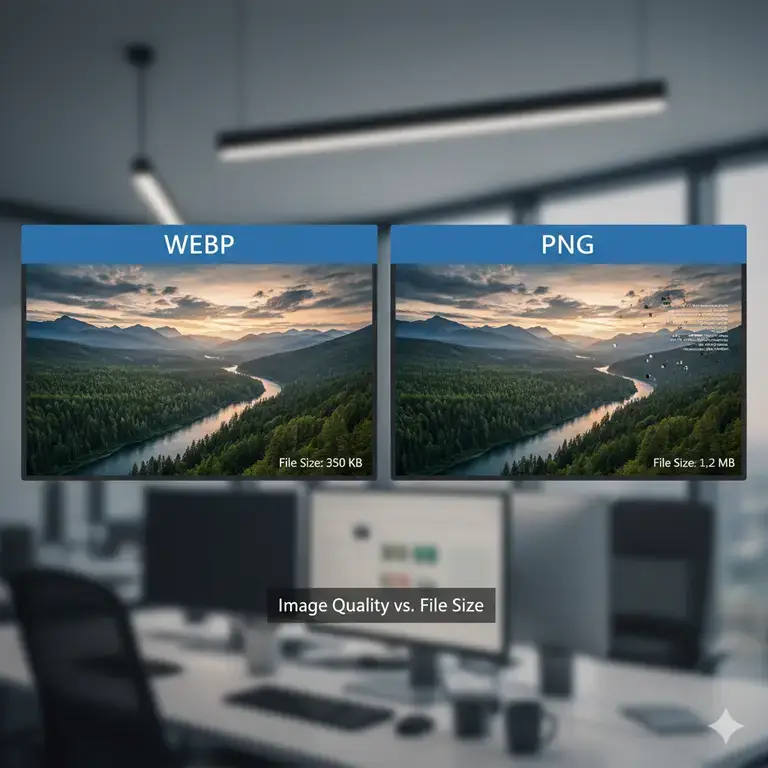
- WebP: Using advanced compression techniques, WebP can create images that are 25-35% smaller than comparable PNGs when using lossless compression. For images with transparency, the savings can be even more dramatic. This is its biggest selling point for web performance.
- PNG: As a lossless format, PNG files are inherently larger. They store all the image data without any quality loss, which results in bigger file sizes that can slow down page load times.
Winner: WebP by a significant margin.
Image Quality
But does smaller size mean worse quality? Not necessarily.
- PNG: Being lossless, PNG guarantees perfect pixel-for-pixel representation of the original image. There is zero quality degradation. This makes it the gold standard for images where every detail must be preserved.
- WebP: WebP offers both lossless and lossy compression.
- Lossless WebP: The quality is identical to PNG. In a blind test, you would not be able to tell the difference.
- Lossy WebP: While there is some quality loss, it is often imperceptible to the human eye at standard compression levels, especially for photographs.
Winner: Tie (for lossless). For pixel-perfect quality, both lossless WebP and PNG are identical. PNG has a slight edge in universal trust for lossless archiving.
Transparency (Alpha Channel)
Both formats support alpha transparency, which is crucial for logos, icons, and graphics with drop shadows.
- PNG: Has robust, universally supported transparency.
- WebP: Also supports full alpha transparency. The key advantage here is that WebP files with transparency are still dramatically smaller than equivalent PNGs.
Winner: WebP. It matches PNG’s transparency capability while delivering much smaller file sizes.
Browser Compatibility
This has been PNG’s stronghold, but the landscape has changed dramatically.
- PNG: Enjoying near-universal support for over two decades, PNG works on every browser, everywhere. There are zero compatibility concerns.
- WebP: As of 2025, WebP support is excellent but not quite perfect.
- Supported by: All modern versions of Chrome, Firefox, Edge, and Opera (covering over 95% of global users).
- Not Supported by: Older browsers and, notably, some email clients.
Winner: PNG. While WebP’s support is vast, PNG’s is absolute. For projects requiring 100% universal compatibility, PNG is the safer bet.
5. Animation
- PNG: Does not support animation. (APNG is a separate format).
- WebP: Supports animation and can create smaller animated files than GIFs with better color support and transparency.
Winner: WebP.
When Should You Use Each Format?
Based on the analysis, here are the clear-cut use cases.
Use PNG When:
- You need guaranteed universal compatibility: For images in emails or on websites that must render perfectly for every single user, including those on legacy systems.
- You are working with source files or need archival quality: PNG is a trusted, lossless standard for storing intermediate project files where no generation loss can be tolerated.
- The image is simple and has a small color palette: For very simple graphics (like a 2-color logo), the file size difference between PNG and WebP may be negligible, making PNG’s compatibility a simpler choice.
- You’re dealing with high-contrast line art or screenshots: In some specific cases, lossless PNG can produce sharper edges than lossy WebP.
Use WebP When:
- Website performance is your top priority: This is the primary reason to use WebP. Serving smaller images leads to faster page loads, better Core Web Vitals scores, and improved user engagement and SEO.
- You are targeting modern audiences: For most public-facing websites and web apps, the vast majority of your audience uses browsers that support WebP.
- You are serving large quantities of images or high-resolution photos: The file size savings compound, significantly reducing bandwidth usage and storage costs.
- You want modern features: You need animated images with transparency but want a smaller file size than GIF.
Real-World Performance Metrics
What does this actually mean for your website? Let’s look at some real-world data.
A typical website hero image might be a 1200×800 photograph.
- As a PNG: 1.2 MB
- As a Lossy WebP (80% quality): 450 KB
That’s a 62% reduction in file size for a single image. Multiply that across all images on a page, and the cumulative impact on load time is substantial. Google’s Core Web Vitals, which measure user experience, are heavily influenced by page speed, making WebP a direct contributor to better SEO rankings.
Conversion Best Practices
Ready to start using WebP? Here’s how to do it right.
- Use Smart Fallbacks: The best practice is to serve WebP images to supporting browsers and fall back to PNG (or JPEG) for others. This can be easily implemented with the HTML
<picture>element:html<picture> <source srcset=”image.webp” type=”image/webp”> <img src=”image.png” alt=”A descriptive alt text”> </picture>The browser will download the WebP version if it can; otherwise, it will gracefully fall back to the PNG. - Choose the Right Tool: Use reliable converters that allow you to fine-tune the compression. Our free online image converters is a great place to start, allowing you to convert png to webp and vice versa webp to png conversion.
- Test Quality: Always compare the original and the converted WebP image at different zoom levels to ensure the quality meets your standards.
- Don’t Forget Compression: Even after conversion, you can often shave off more kilobytes. Run your PNGs and WebPs through a tool like our image compressor to make it some kb’s lighter.
The Verdict is WebP
The landscape is clear: WebP is the future for web performance.
For the vast majority of use cases on the modern web, WebP is the superior choice. Its dramatic file size reduction directly translates to a faster, more efficient website without a perceptible loss in quality.
However, PNG remains a critical and reliable tool in your arsenal. Its universal compatibility and unwavering lossless quality make it indispensable for specific scenarios like graphic design workflows and ensuring content renders for 100% of users.
The smartest strategy is not to choose one over the other, but to use both. Implement WebP with a PNG fallback to give modern users a fast experience while ensuring no one is left behind.
Need to convert WebP to PNG for a specific project? Use our free, fast, and secure online converter to get the format you need in just a few clicks.