
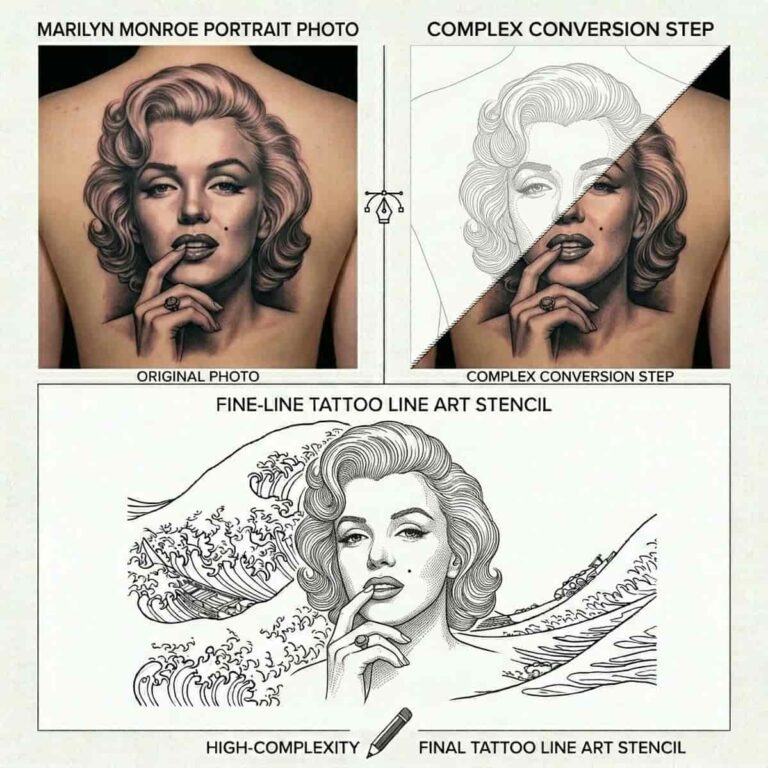
Need a clean outline design from a photo? Line art is perfect when you want something simple, bold, and easy to reuse for a tattoo stencil, logo idea, coloring page, craft project, or printable design.
With a Photo to Line Art tool, you can turn a regular image into a stencil-style drawing online without installing design software.
What Is Photo to Line Art?
Photo to line art is the process of converting a picture into a simplified outline drawing. Instead of keeping every color, shadow, and texture, the image is reduced to clean lines that show the main shapes and details.
This makes it useful for tattoo references, minimalist logos, coloring sheets, embroidery patterns, wall art, stickers, and custom illustrations.
How to Make Line Art from a Photo in 5 Steps?
- Choose a clear photo with a strong subject.
- Upload it to our Photo to Line Art tool.
- Select the line art effect.
- Preview the result for cleaner edges and fewer extra details.
- Download the final design and work on your tattoo design.
For tattoo use, treat the result as a strong starting point. A tattoo artist can clean up the stencil, adjust line thickness, and make sure the design works well on skin.
What are the Best Photos for Tattoo Stencils and Outlines?
Simple photos usually create the best line art. Look for images with clear shapes, strong contrast, and a subject that stands apart from the background.
Portraits, pets, flowers, symbols, objects, buildings, and hand poses can all work well. Busy backgrounds, heavy shadows, low-resolution images, and blurry photos may create messy outlines.
If your first result looks too detailed, try cropping closer to the subject or using a cleaner photo.
Tips for Cleaner Line Art
Use a high-quality image. The better the original photo, the easier it is for the line art generator to detect edges and create smooth outlines.
Pick photos with good lighting. Clear highlights and shadows help the tool separate important shapes from background noise.
Keep the design simple for tattoos and logos. Fine details may look good on screen but can become difficult to print, trace, or tattoo at smaller sizes.
For coloring pages, choose images with large open areas. This gives people enough space to color inside the outlines.
What Can You Use Line Art For?
Line art from a photo can be used for tattoo stencil ideas, custom logo concepts, coloring pages, digital stickers, printables, wall decor, laser-cut templates, and craft patterns.
You can also use it as a base for vector line drawing. After creating the outline, open it in a design tool to smooth paths, adjust line weight, or convert it into a scalable vector file.
Interested in other Photo effects?
You can also choose from multiple effects and filter in our photo resizer tool. You can go for many portrait effect and vintage filter. Primary ones being pixelation, photo to sketch, watercolor effects oil painting filter, retro and boken effects. You can also sharpen you line arts with our image sharpener effect.