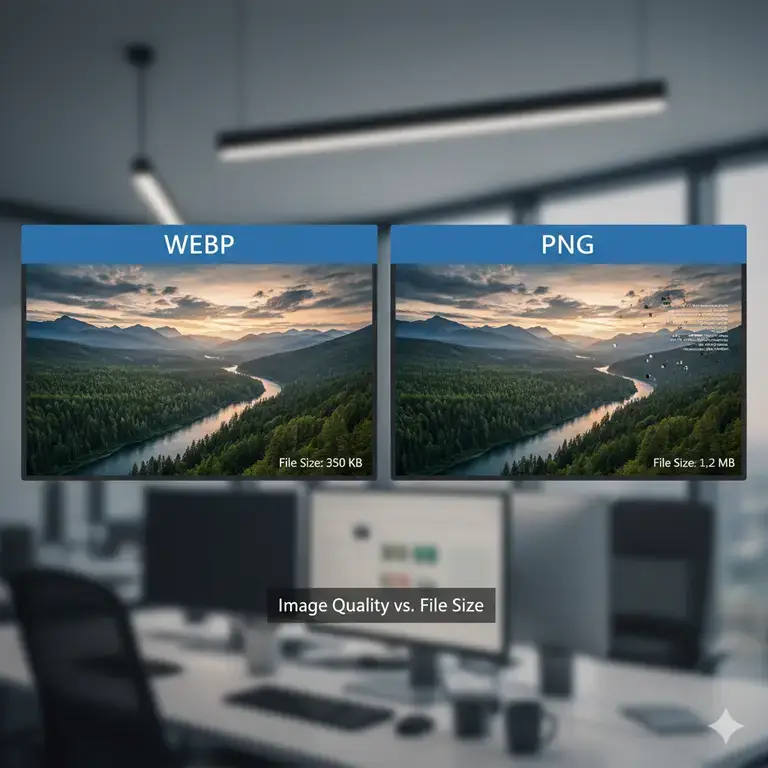
WebP is a modern image format designed for the web, offering excellent compression. However, JPG (or JPEG) remains the universal standard for photographs and complex images due to its compatibility with virtually every device, application, and online platform.
If you need to convert WebP files to JPG, you have many options. But how do they compare on the factors that actually matter—privacy, cost, file limits, and ease of use?
This comparison examines five popular online converters: CloudConvert, Ezgif, FreeConvert, iLoveIMG, and Canva, against ResizeImage IO. All facts presented are based on publicly available information about each service.
| Feature | CloudConvert | Ezgif | FreeConvert | iLoveIMG | Canva | ResizeImage IO |
|---|---|---|---|---|---|---|
| Processing Location | Server-side | Server-side | Server-side | Server-side | Server-side | Client-side (Browser) |
| Free Tier / Cost | 10 conversions/day free; then pay-per-conversion credits | Free | Limited free; Paid plans start at $12.99/month | Free with limits; Paid plans start at $9/month | Free (with account); limited exports | Free & Unlimited |
| File Size Limit | “Unlimited” on paid plans | ~200MB | 1.5GB – 20GB on paid plans | 200MB on free tier | Depends on plan | None |
| Account Required? | No for free tier; Yes for paid | No | Yes for paid plans | No for free; Yes for advanced features | Yes | No |
| Privacy Consideration | File uploaded to server | File uploaded to server | File uploaded to server | File uploaded to server | File uploaded to server | File never leaves your device |
Detailed Breakdown
CloudConvert
CloudConvert is a versatile platform supporting hundreds of format conversions, including WebP to JPG with adjustable quality settings.
- Pricing & Limits: You receive 10 free conversions per day. Beyond that, a credit-based system applies. A package of 1,000 conversion credits costs $18.00 (one-time), or you can subscribe for $10.00/month. Most conversions consume at least 1 credit per minute of processing time.
- Security: Files are uploaded to CloudConvert’s servers. Paid plans include a Data Processing Agreement, but the image must leave your computer for conversion.
- Best For: Users who need a reliable API or handle diverse file types and don’t mind metered usage.
Ezgif
Ezgif is a long-standing, straightforward tool popular for its simplicity and support for animated WebP files.
- Pricing & Limits: It is completely free and requires no login. However, it has a clear file size limit of approximately 200MB. This makes it suitable for standard web images but impractical for high-resolution photography or batch conversions of large files.
- Security: Files are processed on Ezgif’s servers. As a free, ad-supported tool, users should be aware of general privacy considerations when uploading content.
- Best For: Quick, small-scale conversions of individual WebP files, especially animated ones.
FreeConvert
FreeConvert offers a polished interface with options to adjust JPG quality, resize images during conversion, and process multiple files simultaneously.
- Pricing & Limits: Free usage has file size and queue limits. Paid subscriptions start at $12.99/month for 1,500 conversion minutes, up to $29.99/month for 4,000 minutes. Higher tiers offer larger file size limits (up to 5GB on the Pro plan).
- Security: This is a server-side tool—your files are uploaded to their infrastructure for processing.
- Best For: Users who need batch processing and advanced options, and are willing to pay for higher volume and priority processing.
iLoveIMG
iLoveIMG is part of a popular suite of file management tools, offering a clean interface for converting WebP to JPG, along with basic image compression and resizing.
- Pricing & Limits: The free version allows conversions with a 200MB file size limit. Paid plans start at $9 per month (billed annually) or $12 month-to-month, which increases the limit to 1GB per file and removes ads.
- Security: Like others, iLoveIMG processes files on its servers. Their privacy policy states files are deleted after a few hours, but they are transmitted over the internet.
- Best For: Users who need a simple, free tool for moderately sized images or are already using the iLoveIMG ecosystem.
Canva
Canva, the popular design platform, includes a WebP to JPG converter as part of its feature set.
- Pricing & Limits: The converter is free to use, but it requires a Canva account and login. Free accounts have limited export options and features. Converting multiple files is not efficient within the design-focused interface, as each image must be imported into a design.
- Security: Uploaded files become part of your Canva content library and are stored on their servers, subject to their terms of service.
- Best For: Users already within the Canva ecosystem who plan to edit the image further after conversion.
ResizeImage.io
ResizeImage.io takes a fundamentally different technical approach to conversion.
- Pricing & Limits: It is completely free and offers unlimited usage. There are no daily limits, credit systems, or file size restrictions. No login or account creation is required at any point.
- Security: This is the primary architectural difference. All conversion happens client-side, directly in your browser. Your WebP file never leaves your system. It is not uploaded to any server. This “zero-knowledge” architecture eliminates the risk of server-side data breaches, third-party storage, or data retention.
- Performance: Because there is no upload step, processing begins immediately. The tool leverages your device’s own processing power, making conversions near-instant regardless of file size.
- Best For: Users whose top priorities are privacy, unlimited free access, and simplicity. It is ideal for handling sensitive images, large files, or for users who want a tool that simply works without asking for money or personal data.
So Which Converter Should You Use?
| If you need… | Then consider… |
|---|---|
| An API, many format options, and pay-as-you-go pricing | CloudConvert |
| A simple, free tool for small or animated WebP files | Ezgif |
| Batch processing with adjustable settings and paid priority | FreeConvert |
| A free tool for moderately sized images with a simple interface | iLoveIMG |
| Integration with a design platform and don’t mind an account | Canva |
| Complete privacy, no file uploads, unlimited free use, and no logins | ResizeImage IO |
For users who prioritize security and unlimited access above all else, ResizeImage IO’s webp to jpg conversion allows client-side architecture which offers a distinct advantage. Your files remain on your computer, and the service imposes no quotas or fees.