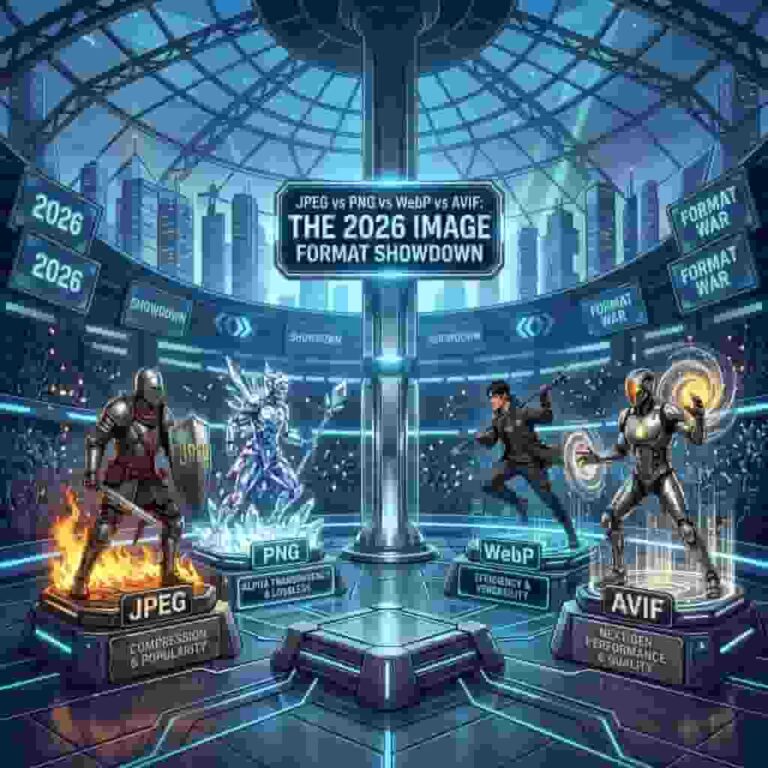
Every time you save an image, you make a choice. And in 2026, you have more options than ever.
JPEG, PNG, WebP, AVIF — four formats, each with its own strengths and trade-offs. Pick wrong and you’re either shipping bloated files that slow your site down, or sacrificing quality for speed.
Here’s the definitive 2026 comparison so you never guess again.
The Quick Reference
FormatBest File SizeQualityBrowser SupportTransparencyAnimationAVIF⭐⭐⭐⭐⭐⭐⭐⭐⭐⭐93%✅❌
WebP⭐⭐⭐⭐⭐⭐⭐⭐97%✅✅
JPEG⭐⭐⭐⭐⭐⭐100%❌❌
PNG⭐⭐⭐⭐⭐⭐⭐100%✅❌
JPEG (Joint Photographic Experts Group) — The Old Reliable Format
First released: 1992
Typical extension: .jpg, .jpeg
Best for: Photographs, complex images with gradients
JPEG has been the web’s image workhorse for over three decades. Its lossy compression ditches color information the human eye can barely perceive, resulting in files that are 50-80% smaller than uncompressed originals.
Strengths:
– Universal support — every device, browser, and tool ever made handles JPEG
– Excellent for photographs with smooth color transitions
– Adjustable quality (0-100) gives you fine control over the size/quality tradeoff
Weaknesses:
– No transparency support (you get a white or black background)
– Compression artifacts at low quality settings (blocky patches)
– Outdated — much less efficient than modern formats
– 8-bit only, limiting color accuracy
When to use it:
– When you need maximum compatibility (email attachments, legacy systems)
– As a fallback for browsers that don’t support WebP or AVIF
PNG (Portable Network Graphics) — The Lossless King for Transparency
First released: 1996
Typical extension: .png
Best for: Screenshots, logos, graphics with text, anything needing transparency
PNG was designed to replace GIF as a patent-free, lossless compression format. It’s the go-to choice when image quality cannot be compromised.
Strengths:
– Lossless compression — zero quality loss
– Full transparency support (alpha channel)
– Excellent for sharp edges, text, and diagrams
– 24-bit color depth (16 million colors)
Weaknesses:
– Large file sizes — often 2-5x larger than JPEG for photos
– Not suitable for photographs and images with lots of color variation
– No animation support
When to use it:
– Logos and icons that need transparent backgrounds
– Screenshots where text clarity matters
– Any image where quality loss is unacceptable
– UI elements and design mockups
WebP — Google’s Smart Middle Ground Best of Both Worlds
First released: 2010
Typical extension: .webp
Best for: Web images where you need a balance of quality and size
WebP was Google’s answer to the inefficiency of JPEG and PNG. It supports both lossy and lossless compression, plus transparency and animation — all in one format.
Strengths:
– Lossy WebP is 25-35% smaller than JPEG at equivalent quality
– Lossless WebP is 20-25% smaller than PNG
– Supports both transparency (alpha channel) and animation
– Near-universal browser support in 2026 (97%)
Weaknesses:
– Slightly slower encoding than JPEG
– Not supported by some older editing software
– Not as efficient as AVIF for lossy compression
When to use it:
– Your default web format in 2026
– When you need a modern format with the widest browser support
– As a fallback when serving AVIF as the primary format
Use a WebP converter to batch-convert your entire image library.
AVIF — The New Champion All-in-one format
First released: 2019
Typical extension: .avif
Best for: Modern websites that prioritize speed and quality above all
AVIF (AV1 Image File Format) is based on the AV1 video codec, and it shows. The compression efficiency is genuinely remarkable — it often matches or beats everything else while keeping visual quality intact.
Strengths:
– 40-50% smaller than JPEG at the same quality — this is not an exaggeration
– 10-bit and 12-bit color depth (1 billion+ colors) for HDR content
– Excellent quality at low file sizes thanks to advanced compression algorithms
– Lossy and lossless in the same format
– Transparency support
Weaknesses:
– Encoding is slow — converting large batches takes noticeably longer
– 93% browser support in 2026 (still missing on some older devices)
– No animation support (use WebP or GIF for that)
– Not all editing tools support it yet
When to use it:
– Primary format for product images, photographs, hero banners
– When every kilobyte matters (e-commerce, mobile-first sites)
– As the modern, forward-looking choice
The 2026 Recommendation
Here’s a simple decision tree:
“
Does the image need a transparent background?

YES → Need animation? → YES → Use WebP

→ NO  → Use PNG (for sharp edges) or AVIF (for photos)

NO  → Is it a photo or complex image?

→ YES → Use AVIF as primary, WebP as fallback

→ NO  → Use PNG or WebP (logos, graphics, UI)
The ideal setup for a 2026 website:
`html`
This serves AVIF to browsers that support it (93% of users get the best experience), WebP as a middle ground, and JPEG as the universal fallback.
Quick Format Conversion
Need to convert between formats? Use a free image converter that works in your browser:
– JPG to WebP — For smaller, faster web images
– PNG to WebP — When you need compression but still want transparency
– WebP to JPG — For compatibility with older systems
– WebP to PNG — When you need lossless editing
– AVIF converter — Convert from AVIF
– HEIC to JPG — For iPhone users
The Verdict
If you’re…Use this formatBuilding a new websiteAVIF + WebP fallback
Running an e-commerce storeAVIF for product photos, WebP for thumbnails
A photographerJPEG for delivery, AVIF for web portfolios
A designerPNG for mockups, WebP for web export
Uploading to social mediaJPEG (still the most compatible)
An iPhone user sharing photosConvert HEIC to WebP or JPEG
No single format wins in every scenario. The right choice depends on what you’re optimizing for — file size, quality, compatibility, or a mix of all three.
In 2026, the smart strategy isn’t picking one format. It’s using the
Start converting your images to modern formats for free at resizeimage.io.