
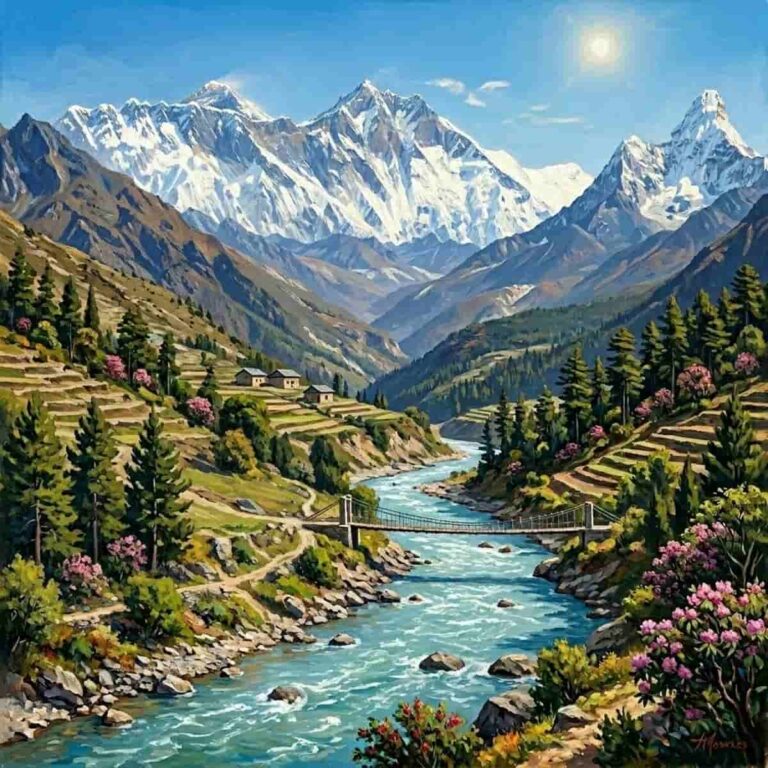
A great landscape photo can become more than a memory on your phone. With an oil painting effect, you can give mountains, beaches, city views, gardens, sunsets, and travel photos the rich, textured look of traditional wall art.
Instead of ordering a custom painting or learning to paint from scratch, you can use an Oil Painting tool to turn your photo into a canvas-style artwork online. It is a simple way to create a framed print for your living room, bedroom, hallway, office, or gift wall.
Quick Answer
To make a landscape photo look like an oil painting, upload your image to the Oil Painting tool, apply the painting effect, preview the result, and download the final image for printing. For best results, use a high-resolution landscape photo with strong lighting, clear scenery, and a balanced composition.
Why Use an Oil Painting Filter?
An oil painting filter adds a classic, gallery-inspired look to a photo. It can soften small camera details, enhance color, and create the feeling of brush strokes or a painted canvas.
This works especially well for landscape images because natural scenes already have the depth, color, and atmosphere that suit a traditional painting style. A lake at sunset, a mountain road, a forest path, or a favorite vacation view can instantly feel more decorative and display-ready.
Best Landscape Photos for the Oil Painting Look
Choose photos with:
- Clear scenery and a strong main subject
- Good natural light
- Rich colors or interesting contrast
- Enough resolution for printing
- Minimal blur or heavy noise
Wide outdoor scenes usually work beautifully, but simple compositions are often more effective than crowded images. If the photo has too many tiny details, the final painting effect may feel busy when printed.
How to Turn a Landscape Photo into Wall Art?
- Pick your favorite landscape photo.
- Open the Oil Painting tool.
- Upload the image.
- Apply the oil painting effect.
- Preview the result at a larger size.
- Download the finished artwork.
- Print it on canvas, matte paper, or fine art paper.
- Frame it and hang it as custom wall art.
Print Checklist Before You Frame it!
Before printing, check that the image looks good at the size you want. A photo that looks sharp on a phone may not always hold up as a large poster or canvas print.
Make sure the final artwork has enough resolution, the subject is not cropped too tightly, and the colors still match the mood you want. For a more traditional look, canvas printing can work well. For a softer gallery print, matte or fine art paper is a good choice.
Creative Ideas for Oil Painting Wall Art
You can use the oil painting effect for travel memories, family vacation photos, hometown views, garden photos, beach sunsets, mountain scenes, cabin landscapes, city skylines, or wedding venue photos.
It also makes a thoughtful gift. A painted-style version of a meaningful place can feel more personal than a standard photo print while still keeping the original memory intact.
Want to try more Artistic Filters?
Want to experiment with different styles before printing? Try other filters too, such as Photo to Sketch, Photo to Line Art, Watercolor, Oil Painting, Vintage, Retro, Sepia, Vignette, Threshold, Bokeh, Aesthetic, black and white image effect, and pixelated effects.
Each filter gives your photo a different mood, so you can choose the one that best fits your wall art, profile picture, invite, poster, or creative project.