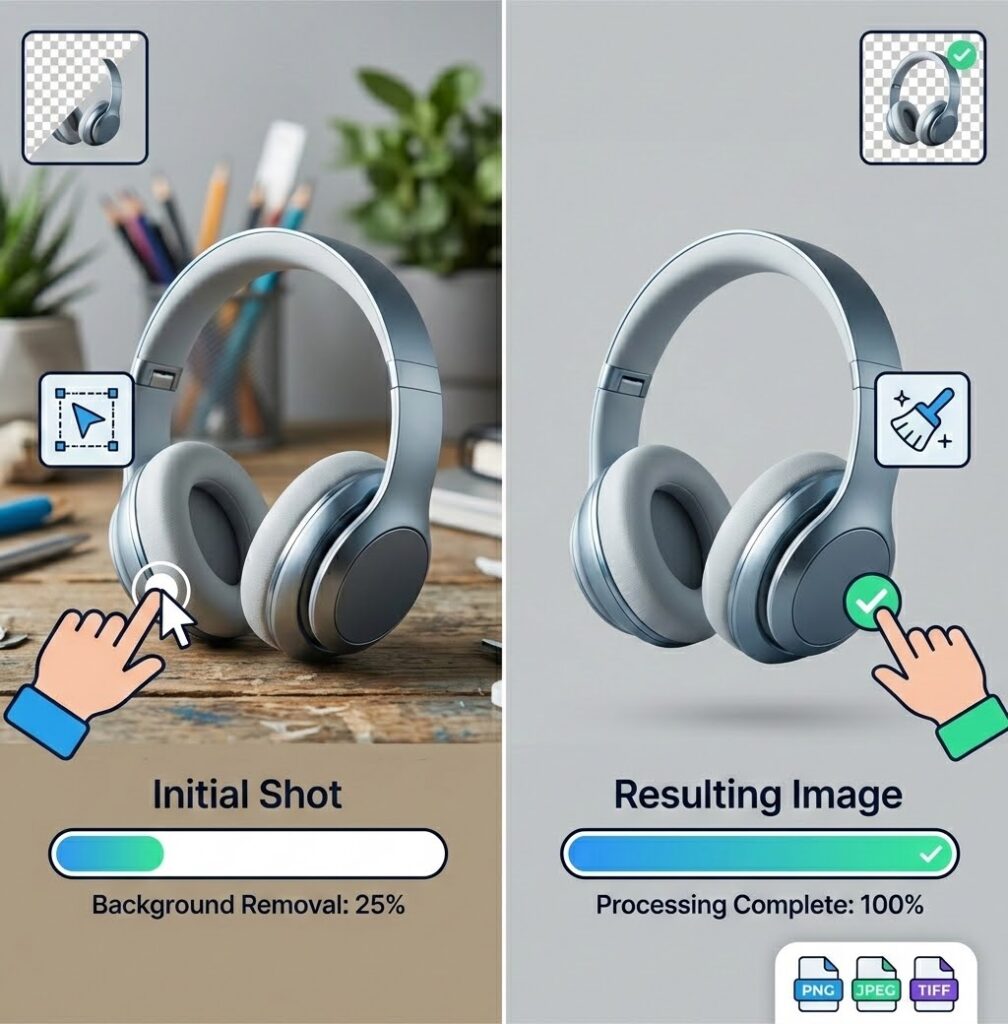
Product Photo Background Removal Guide for E-Commerce 2026
If you sell products online, your product photos are the closest thing your customers get to touching what you are selling. And nothing kills a sale faster than a messy background.
The data backs this up. Ecommerce platforms consistently show that products on clean white or transparent backgrounds convert better than those shot in uncontrolled environments. Amazon requires a pure white background (RGB 255,255,255) for main product images. Etsy rewards listings with clear, focused product photography.
This guide covers everything you need to know about removing backgrounds from product photos in 2026 — the tools, the techniques, and the workflow that saves you hours of editing time.
Why Background Removal Matters for Ecommerce?
Professional product photos with clean backgrounds do three things:
They reduce cognitive load. When a customer looks at a product on a clean background, their brain processes the product itself, not the clutter around it. This sounds subtle, but it measurably improves conversion rates.
They enable consistent branding. Removing backgrounds lets you place products on any background color or design. Your Amazon listings, your Shopify store, your Instagram ads — all can feature the same product against different backgrounds while maintaining visual consistency.
They make comparison easier. When every product in a category sits on a consistent background, customers can compare items side by side without visual distraction. This is why marketplaces enforce background standards.
Manual vs AI Background Removal
Manual Methods
The traditional approach involves Photoshop’s Pen Tool, Magic Wand, or Quick Selection tool. A skilled editor can create perfect cutouts with manual techniques, handling tricky edges like hair or glass with surgical precision.
The problem: time. A high-quality manual cutout takes 3-15 minutes per image depending on complexity. For a catalog of 500 products, that is 25 to 125 hours of work. At $20/hour for a freelance editor, you are looking at $500 to $2,500 just for background removal.
AI Background Removers
AI tools cut this to 3-15 seconds per image. The tradeoff is that AI makes mistakes — sometimes missing edges, sometimes cutting off parts of the product, sometimes creating artifacts on transparent backgrounds.
In 2026, the best AI tools handle 85-95% of product photos without issues. The remaining 5-15% need manual cleanup or adjustment of the input image.
For most ecommerce sellers, the speed gain of AI processing massively outweighs the occasional mistake.
Step-by-Step: Removing Backgrounds from Product Photos
Step 1: Start with a Good Original
AI background removal works best when the product is clearly separated from the background in the original photo. A few principles:
- Shoot against a contrasting background. A dark product on a light background gives the AI a clearer boundary to detect.
- Avoid shadows that touch the product edges. Hard shadows blending into the product confuse edge detection.
- Ensure even lighting. Glare and hotspots can cause the AI to misidentify parts of the surface as background.
- Use a tripod. Blurry images produce blurry edges that every tool handles poorly.
Step 2: Choose Your Tool
For ecommerce, your choice comes down to volume and budget:
Processing under 50 images per month: Use a free browser-side tool like ResizeImage.io Background Remover. It processes locally on your device, keeps your product images private, and handles standard product shots well.
Processing 50-500 images per month: A tool like Remove.bg or Photoroom makes sense. Remove.bg costs about $0.20 per image for HD downloads. Photoroom runs $9.99/month and includes batch processing plus AI retouching.
Processing 500+ images per month: Look at Remove.bg’s API or Photoroom Pro for batch workflows. At this volume, the time savings from batch automation justifies the subscription cost.
Step 3: Process, Check, and Fix
Run your images through your chosen tool. Download the result with a transparent background. Open each one and zoom in on problem areas — edges where the product meets the background, thin details like stems or straps, and translucent areas like glass.
For images where the AI made obvious mistakes, either retake the photo with better separation or use a tool with manual refinement brushes to correct edges.
Step 4: Save in the Right Format
For ecommerce, save your background-free product images as PNG with transparency. This preserves the clean edges and lets you composite the product onto any background later.
If your marketplace requires a specific background color (Amazon’s white background, for example), export a JPG with that fill color instead. This produces a smaller file that loads faster on listing pages.
Batch Processing: When Volume Changes Everything
Processing one image at a time works for small catalogs. When you have hundreds or thousands of images, manual per-image processing becomes impossible.
Batch processing tools upload multiple images simultaneously and process them in parallel. The best tools maintain image order and naming conventions, apply consistent settings across all images, and produce individual download links or a single zip file.
Remove.bg’s API, Photoroom’s batch mode, and ResizeImage.io’s hand-off per-image flow each handle batch scenarios differently. For true bulk processing, an API-based solution is usually the fastest.
Common Ecommerce Challenges
Transparent or Translucent Products
Glass bottles, plastic containers, and sheer fabrics are the hardest subjects for AI background removal. The AI often cannot distinguish between the product’s transparency and the background, resulting in cutouts that look partially erased.
Best approach: shoot these products against a pure white or black background from a consistent angle, then use a tool with manual refinement to restore the correct transparency.
Products with Fine Details
Jewelry, lace, and items with intricate edges challenge every AI model. The thin elements confuse edge detection algorithms.
Best approach: use tools with dedicated “hair” or “fine detail” modes (most tools have these for portraits; they work for intricate products too). Photograph these products against a solid, high-contrast background and avoid backgrounds with patterns.
Reflective Surfaces
Mirrors, metal products, and glossy packaging reflect the background they are shot against. The AI may interpret the reflection as part of the background and cut through the product.
Best approach: light reflective products carefully so the reflection of the background is minimized. Diffuse lighting helps. Some AI tools handle reflections better than others — test a sample before investing in a full batch.
Background Removal Workflow Templates
Template 1: Shopify Seller (50 products/month)
- Shoot products against white or light gray seamless paper
- Use ResizeImage.io background remover (free, browser-side, unlimited)
- Export as transparent PNG
- Composite onto brand background color using resizeimage.io
- Upload final JPG to Shopify
Template 2: Amazon FBA (200 products/month)
- Shoot against pure white (RGB 255,255,255) per Amazon requirements
- Use Remove.bg for consistent, fast processing
- Verify each result at 100% zoom for edge quality
- Export as JPG with white background fill
- Resize to Amazon’s 1000×1000 minimum using resizeimage.io
Template 3: Large Catalog (1000+ products/month)
- Invest in proper product photography with clean backgrounds
- Use Remove.bg API for automated batch processing
- Implement a QC pass where 10% of processed images are manually checked
- Create a color workflow — shoot on white, remove background, composite as needed
- Store master transparent PNGs, generate JPG output variants per marketplace
The Bottom Line
Background removal for ecommerce is no longer a specialized Photoshop skill. AI tools in 2026 handle the majority of product images well, and the few images they struggle with can be fixed by adjusting the photography or using tools with manual refinement.
The decision framework is simple:
- Low volume + privacy matters → Free browser-side tool (ResizeImage.io)
- Medium volume + consistent quality → Remove.bg or Photoroom
- High volume + automation → API-based batch processing
Your product photos are your best sales tool. Removing backgrounds consistently and cleanly is one of the highest-ROI changes you can make to your ecommerce operation.